See what is already there
The houses, garage and terrain on the plot come in from map data and are set up in 3D automatically. Anything estimated is marked as estimated, so you can see what to measure.
Try thisClosed betaFor people planning a build, and for professionals
ProsjektKlar sets up the plot, its buildings and the terrain in 3D from public maps. Draw an extension, place a new house or split the plot, and see what the rules say while you work.
Planning is in closed beta, with access by invitation. You can also start with a free plot check.
The ProsjektKlar app itself is in Norwegian, like the regulations and plan data it works with.
What you can do
The houses, garage and terrain on the plot come in from map data and are set up in 3D automatically. Anything estimated is marked as estimated, so you can see what to measure.
Try thisDraw an extension, an added storey or a veranda on the existing house. Switch between before and after to see the difference.
Try thisPlace a new house or choose a catalogue house. Distance to the boundary, site coverage (BYA) and height are checked as you move it.
Try thisDraw a new boundary and see the area of each part, together with what applies to dividing a plot.
Try thisWalk around the plot at eye level, and drag the timeline to see how the shadows from the house and the neighbours move through the day.
Try thisFloor plan, section and elevation come from the same model, so the drawings follow when you change something.
Try thisSite analyses
Estimates, not design values. What they are based on is in the questions below.
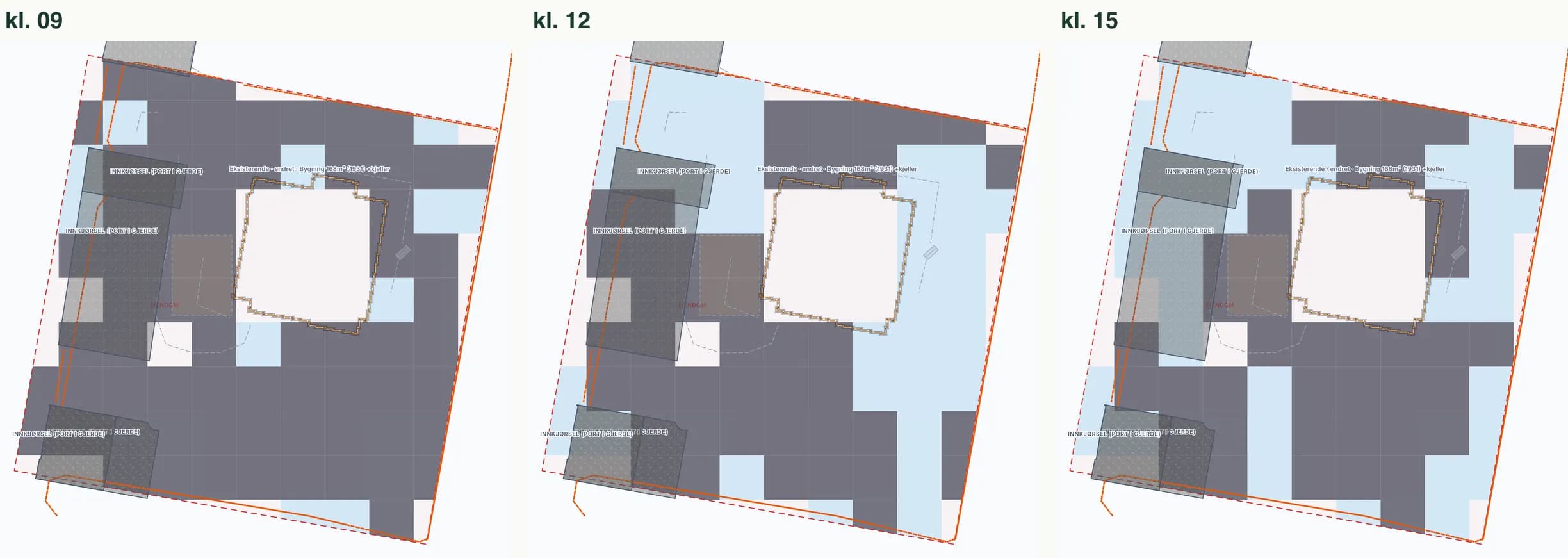
See where the shadows fall on the plot at 09, 12 and 15, and how many hours of sun each point gets during the day. Calculated from the terrain and the buildings in the model.
Draw a sight line between two points on the plot and see whether the terrain or a building in the model is in the way.
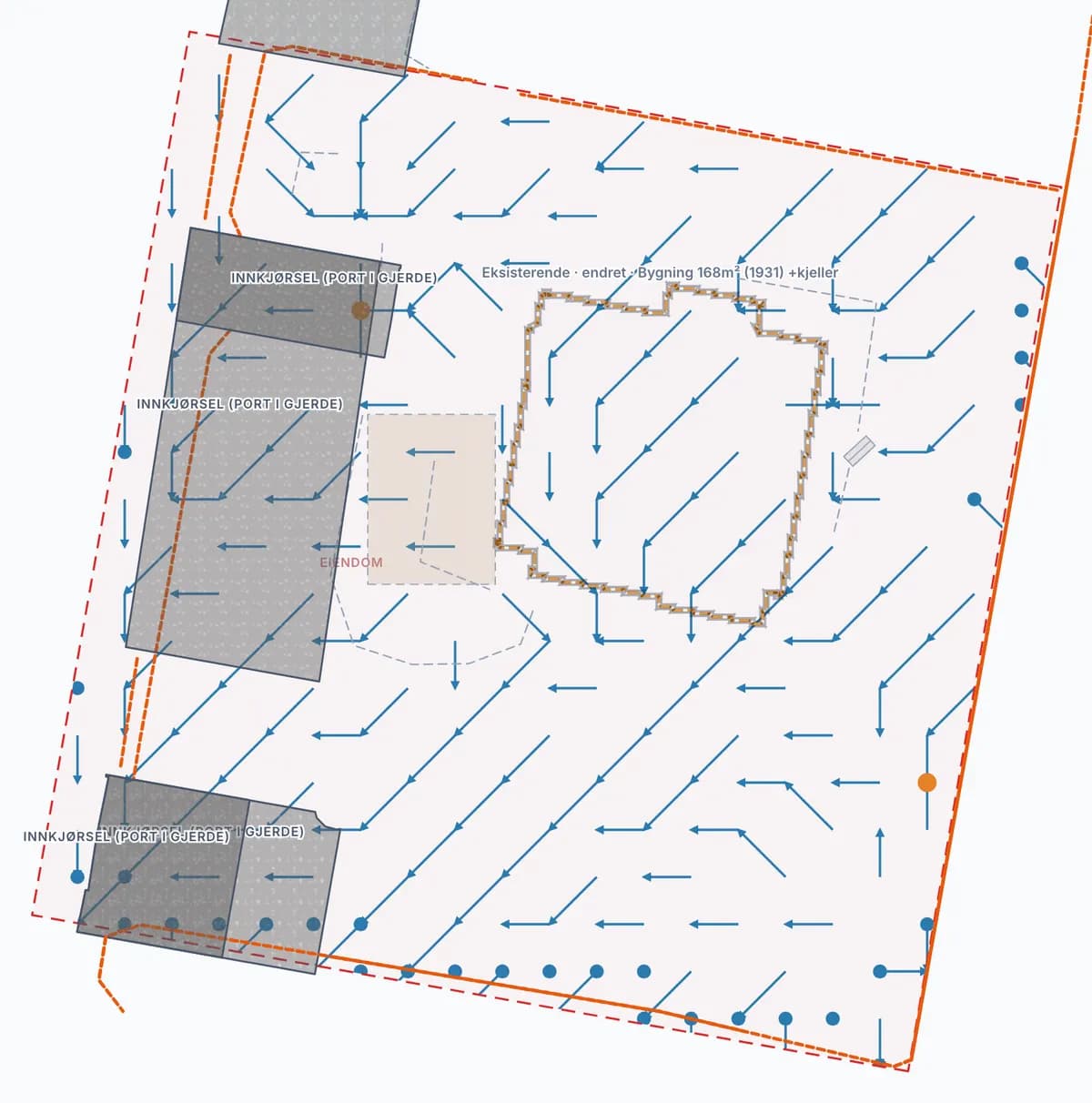
See which way surface water runs across the plot, where it may collect, and whether the plot lies in a mapped NVE flood zone.
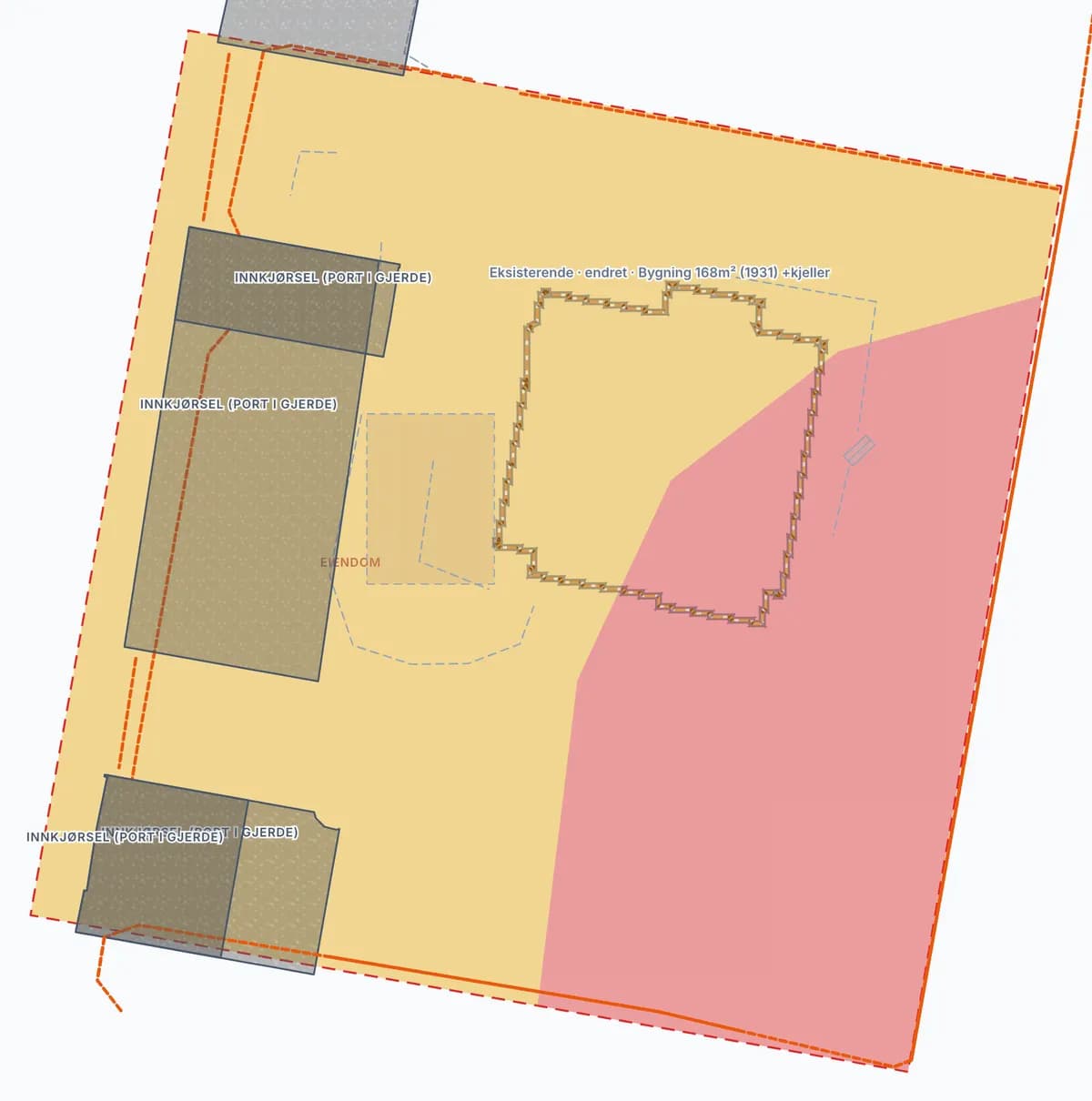
See whether red or yellow noise zones from roads, railways, airports or the Armed Forces cover the plot, drawn straight onto the plan.
Wind and Snow, temperature and frost are shown from nearby MET stations. Crops from ProsjektKlar – Vækerøåsen 20.
Free, without signing in
Before you sign in, you can look up an address and see the public information about the plot.
Start free with your address:
The workflow
Four steps in one project, from the address to material you can pass on.
Enter the address. The boundary, buildings, terrain and zoning plan are fetched and shown in 2D and 3D.
The plot as it is today, with a source for what was fetched.
Draw an extension, place a new house or split the plot. Move and adjust in the plan and see the result in 3D straight away.
A model of the project on your own plot.
See distance to the boundary, site coverage, height and what the plan says while you draw, and what to clarify with the municipality.
A list of what is in order and what needs checking.
Take site plan, floor plans, sections and elevations from the model, and gather the attachments you need next.
Drawing drafts and attachments for your architect, applicant or the municipality.
Closed beta
What you can use today, and what we are building next.
Property information, site analyses, 2D and 3D work and document drafts. We review data coverage for your property during onboarding.
More rule checks, quality assurance and export. We confirm support for your case type and receiving system.
Next: more case types and integrations.
Trust and clarity
A good working foundation does not remove the need for professional checks.
They are estimates, not design values. Sun and shade are calculated from the terrain and buildings in the model, and neighbouring buildings and trees may be missing. A clear sight line in the model does not guarantee a view. Water and flood use mapped NVE zones and simple terrain fall, without rainfall or drainage calculations. Noise uses public noise-zone maps, not a dB calculation. Wind and climate are MET station data, not design wind load, snow load or frost depth.
Both for people planning to build, extend or renovate, and for architects, building-application consultants and smaller professional teams working on early-stage building projects. During closed beta we check whether your project fits what we support today.
Send a beta-access request. We will discuss your needs and source material, then confirm any invitation. A request does not create an account or grant automatic access.
No general closed-beta subscription has been published. Access, any fees and support are agreed in writing before you accept. Requesting access is non-binding.
No. ProsjektKlar supports preparation; it is not an approval authority. Municipal authorities, responsible applicants and qualified professionals retain their roles. Submission takes place through an appropriate external service.
Sources, coverage and freshness must be checked. AI-generated content, models and rule indicators require professional review before use. An empty field does not establish the absence of restrictions.
Join the closed beta
Tell us your role and how you would use ProsjektKlar. We will get in touch to discuss whether the beta is a fit.
Requesting access is non-binding. We agree terms and any fees before you get access.
Already invited? Sign in